








.svg.png)

.png)


.svg.png)

.png)


.png)





The Lowdown 📋
Figma Slides is the first presentation tool developed specifically for designers and their teammates, allowing users to build compelling and effective presentations without having to leave the familiar Figma ecosystem. It is a powerful solution for solopreneurs and small teams who prioritize design quality, consistency, and efficient collaboration in their pitches, proposals, and design reviews.
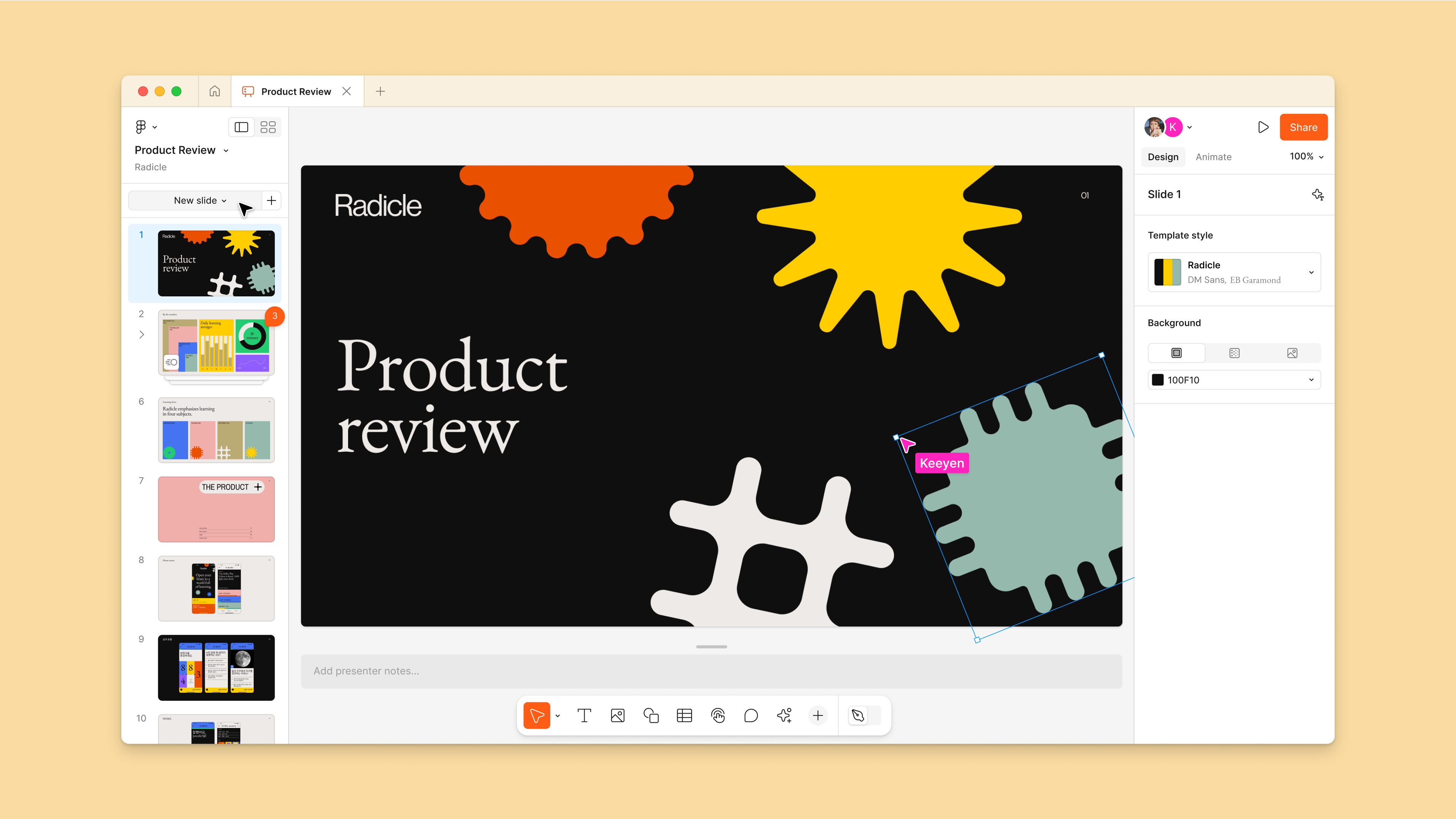
The core value of Figma Slides is its real-time collaboration capability, ensuring that slide decks are live and always up-to-date. Multiple collaborators can work on the same file simultaneously, using features like audio, cursor chat, and comments to provide feedback and stay aligned. The platform offers a simplified interface (Slides mode) for easy content modification, but you can toggle into Designer mode for access to the full suite of advanced Figma tools, such as Auto Layout and effects.
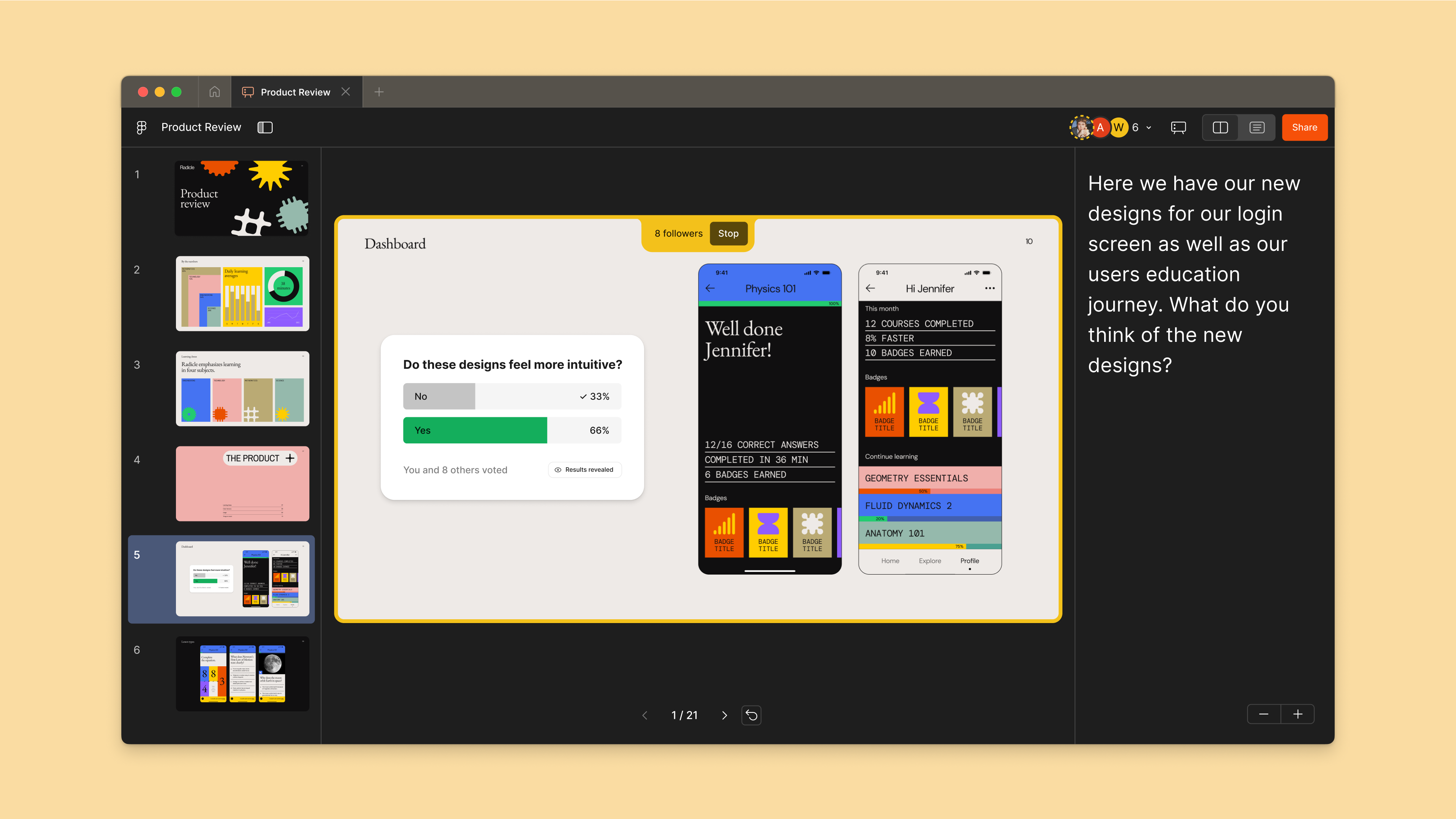
A key strength for product-focused teams is the ability to easily incorporate existing Figma components, styles, and variables (Libraries) directly into presentations, ensuring design consistency across all client or stakeholder materials. Users can also embed live, clickable prototypes and interactive elements like polls and alignment scales into slides to drive engagement and gather immediate feedback from their audience.
With Figma Slides, you can:
- Co-create presentations in real time with your team, using cursor chat and comments for immediate feedback and alignment.
- Maintain design consistency by leveraging components and styles from your existing Figma Design Libraries within your slide decks.
- Embed interactive prototypes and live polls directly into your slides to facilitate dynamic demos and two-way conversations with stakeholders.
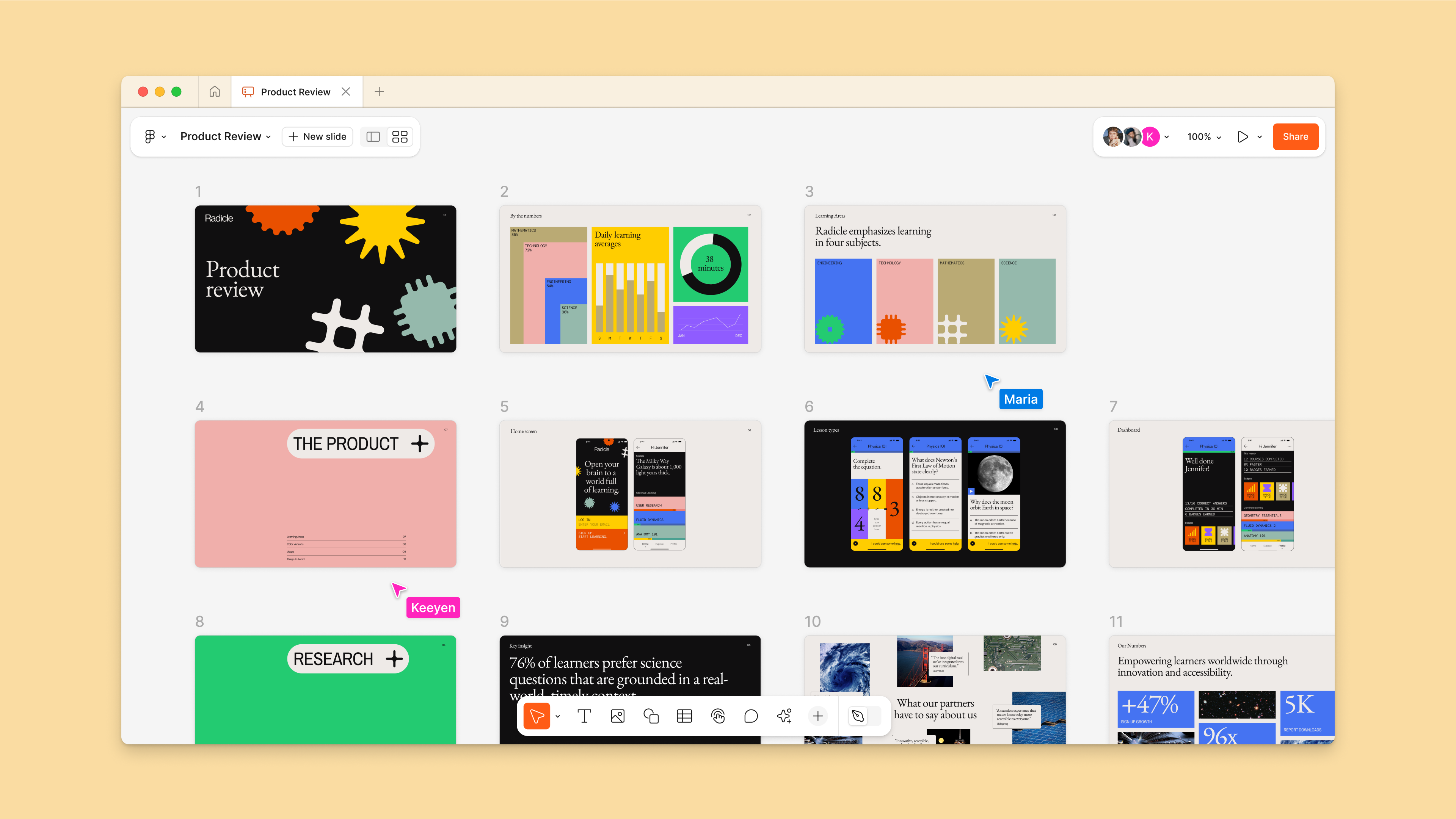
- Structure your narrative effectively using two canvas views: Slide view for detailed editing and Grid view for a quick, bird's-eye overview of the deck flow.
- Utilize AI features like Adjust Tone to instantly modify the writing style of your slide copy, from formal to business-like.
- Present confidently with Presenter Notes and use the Spotlight feature to seamlessly transition between multiple presenters without interruption.
- Export your finalized deck as a PDF or PowerPoint file to share with audiences who do not use Figma.
Mission
"Make design more accessible to everyone."
Best for 💪🏼

Available on 📱


Core Features ⚙️
Product Screenshots 🖼️

Blog Posts
More posts
From Chaos to Clarity: A Solopreneur's Perspective on a Single Source of Truth System


Plans 💳
$12.00
per member, per month
N/A
No monthly pricing available for this plan
N/A
No monthly pricing available for this plan


